Create a quiz on the Wix website.
Today we will look at how to create a quiz on a Wix website using code.
Code description
Code elements
Video tutorial
Example description
In this example, I created a quiz that randomly selects 5 questions from a database. Once a website visitor answers all the quiz questions and submits them, we check their answers, show the correct answer for each question, and display the final result.

Video tutorial on creating the code
Code example
HOME | questions.jsw |
import { getRandomQuestions } from 'backend/questions'; import wixWindow from 'wix-window'; const numOfQuizQuestions = 5; let isUserAnswerValid; $w.onReady(function () { setUpEventHandlers(); }); function setUpEventHandlers() { $w('#startQuizBtn').onClick(async () => { $w('#submitBtn').expand(); $w('#welcomeGroup').collapse(); $w('#scoreGroup').collapse(); await initQuestionsData(); $w('#quizGroup').expand(); }); $w('#submitBtn').onClick(async () => { isUserAnswerValid = true; $w('#invalidMessageText').collapse(); await checkValidity(); if (isUserAnswerValid) { await submitAnswers(); $w('#scoreGroup').expand(); $w('#welcomeText').text = 'Lets try again'; $w('#welcomeGroup').expand(); } else { $w('#invalidMessageText').expand(); } wixWindow.scrollTo(0, 0); }); } async function initQuestionsData() { const questions = await getRandomQuestions(numOfQuizQuestions); $w('#quizRepeater').data = questions; $w('#quizRepeater').onItemReady(($item, itemData, index) => { $item('#questionText').text = itemData.title; $item('#wrongAnswerText').hide(); $item('#correctAnswerText').hide(); $item('#correctAnswersGroup').hide(); if (itemData.type === 'radioGroup') { $item('#radioGroup').required = false; $item('#radioGroup').selectedIndex = null; setRadioGroupOptions($item, itemData); $item('#radioGroup').expand(); $item('#input').collapse(); } else { $item('#input').required = false; $item('#input').value = null; $item('#input').expand(); $item('#radioGroup').collapse(); } }); } function setRadioGroupOptions($item, itemData) { let opts = []; itemData.answersList.forEach((answer) => { opts.push({ 'label': answer, 'value': answer }); }) $item('#radioGroup').options = opts; } async function checkValidity() { $w('#quizRepeater').forEachItem(($item, itemData, index) => { if (itemData.type === 'input') { $item('#input').required = true; isUserAnswerValid = (isUserAnswerValid && $item('#input').valid); } else { $item('#radioGroup').required = true; isUserAnswerValid = (isUserAnswerValid && $item('#radioGroup').value); } }); } async function submitAnswers() { $w('#submitBtn').collapse(); let score = 0; $w('#quizRepeater').forEachItem(async ($item, itemData, index) => { let userAnswer; if (itemData.type === 'input') { userAnswer = $item('#input').value; } else { userAnswer = $item('#radioGroup').value; } if (userAnswer.toLowerCase() === itemData.correctAnswer.toLowerCase()) { score = score + 20; $w('#score').text = String(score); $item('#correctAnswerText').show(); } else { $item('#wrongAnswerText').show(); } $item('#correctAnswer').text = itemData.correctAnswer; $item('#correctAnswersGroup').show(); }); } | import wixData from 'wix-data'; const options = { 'suppressAuth': true }; async function getAllQuestions() { try { const request = await wixData.query('questions').find(options); if (request.items.length > 0) { return request.items; } else { throw 'no items found'; } } catch (error) { console.error('an error was found in getAllQuestions function', error); } } export async function getRandomQuestions(numOfQuestions) { const allQuestions = await getAllQuestions(); const numberOfItems = allQuestions.length; let randomQuestions = []; while (randomQuestions.length < numOfQuestions) { const randomNumber = Math.floor(Math.random() * (numberOfItems)); let question = allQuestions[randomNumber]; if (randomQuestions.indexOf(question) < 0) { randomQuestions.push(question); } } return randomQuestions; } |
How to create a similar quiz
Collection
I created a questions collection that stores all the questions and visitors’ answers.

Page elements
I added the following elements:
3 text elements: to greet website visitors and display the quiz score.
2 buttons: a start quiz button and a submit button.
Repeater: contains the questions and the possible answers to them. After submission, the repeater also shows the correct answer for each question and text indicating whether the visitor’s answer was correct or incorrect.

Code
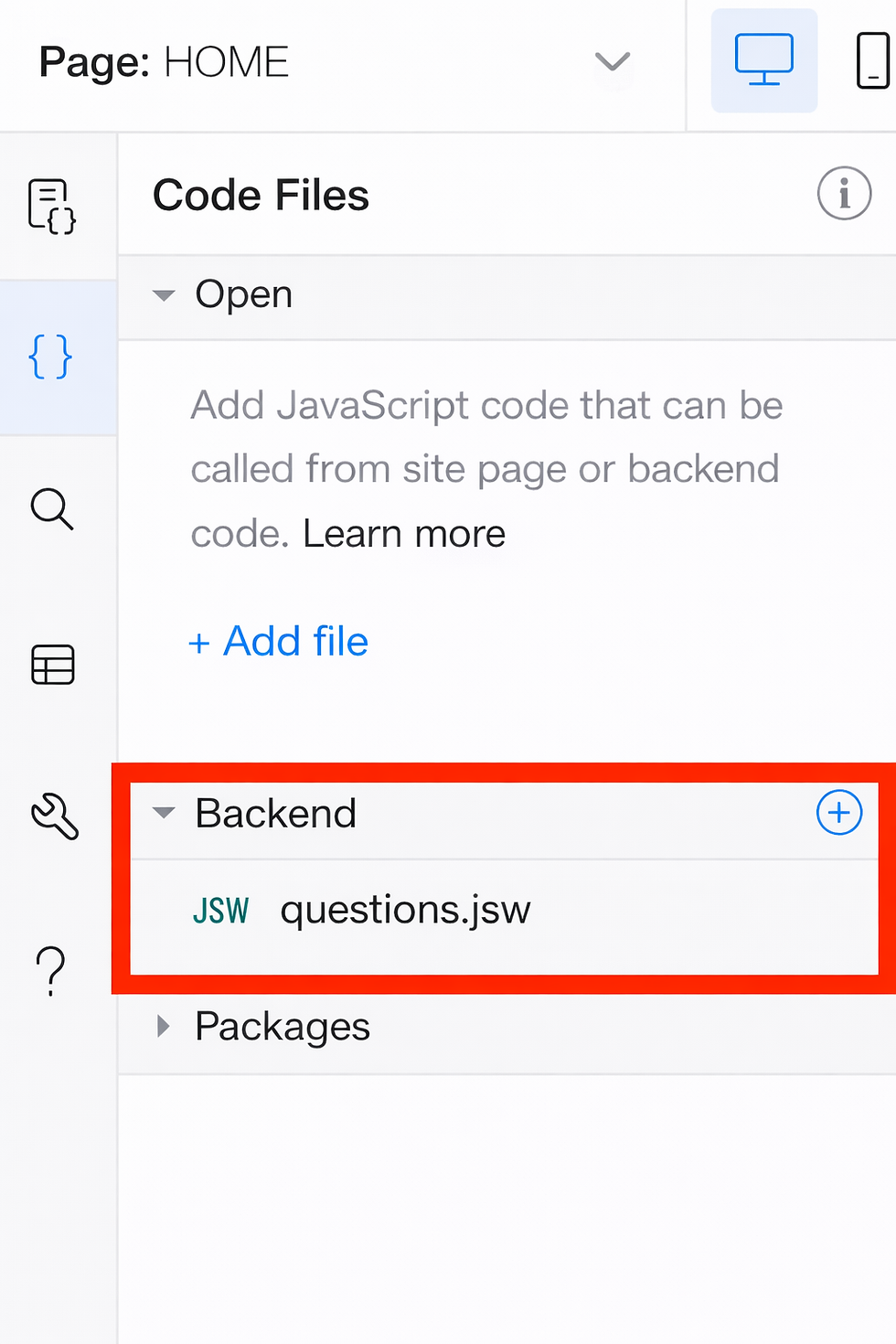
I added the question.jsw web module to retrieve information about questions and answers from the questions collection: getAllQuestions() is a function that queries the collection and returns all its items. getRandomQuestions() is a function that takes a variable indicating how many questions it should return. The function calls getAllQuestions() to retrieve all questions and returns the specified number of randomly selected questions. Page code In the $w.onReady function, we initialize the buttons’ onClick event handlers.
When a website visitor clicks the “Start Quiz” button, we retrieve 5 random questions using the getRandomQuestions() function and bind them to the repeater’s data. When the submit button is clicked, we first check that the website visitor has answered all the quiz questions. If so, we validate the answers. We compare each answer with the correct answer obtained from the quiz data and display a message indicating whether each answer is correct or not. We also calculate the visitor’s score by adding 20 points for each correct answer.