Why your website gets traffic but no inquiries

You’ve done the hard part. You’ve invested in SEO, maybe run some Google Ads, and built a website that looks professional. Traffic is coming in. But the phone isn’t ringing. The inquiries aren’t arriving.
The disconnect between traffic and leads is one of the most frustrating problems we see with B2B service businesses. You’re not alone. Research shows the average conversion rate for B2B websites sits around 2–3%. That means more than 97% of your visitors leave without a trace — no form filled, no demo booked, no contact details left behind.
The good news? This is rarely a traffic problem. It’s almost always a conversion problem. And the fixes are usually straightforward once you know where to look. Let’s walk through the seven most common reasons your website gets traffic but no inquiries — and exactly how to fix each one.
1. Your traffic comes from the wrong audience (intent mismatch)

Not all traffic is created equal. If your site attracts visitors outside your Ideal Customer Profile (ICP), they won’t convert — no matter how good your site looks.
Your marketing might be ranking for broad, top-of-funnel keywords that attract researchers, not buyers. If someone searches “what is IT security” and lands on your managed security page, they’re looking for education — not a contract.
The fix:
Audit your top landing pages. Examine the search queries driving traffic alongside the content on each page. Are they aligned with commercial intent?
Create distinct types of content: informational content (with soft conversion opportunities like resource downloads) for early‑stage researchers, and commercial content (with strong CTAs, case studies, and pricing discussions) for in‑market buyers.
For paid campaigns, ensure ad copy and landing page messaging match exactly. A visitor who clicks on “B2B SEO for manufacturing” should not land on a generic SEO services page.
2. The messaging doesn’t match what brought them there

A visitor clicks a link expecting a specific outcome but lands on a page that talks about something else entirely — or worse, talks mostly about your company. This mismatch creates immediate disconnect.
Most websites begin with vague brand messaging: “Welcome to [Company Name] — trusted partner for over a decade.” But visitors aren’t searching for your biography. They want to know: Can you solve my specific problem? Do you understand my industry? Have you helped companies like mine succeed?
The fix:
Mirror the language of the ad, social post, or search query that brought them in. Open your page with a headline that addresses the exact need they came with.
Shift the focus from your company to the customer’s challenge. Instead of “We have 10 years of experience,” say “Here’s how we solve your problem”.
Test your page with the five‑second rule: can someone outside your business quickly understand what you offer and what to do next?
3. Your website looks good but doesn’t build trust

Visitors have no inherent reason to believe anything you say about yourself. Beautiful design alone doesn’t earn trust — proof does.
If your site lacks testimonials, client logos, case studies, or certifications, you’re asking visitors to take a leap of faith. Most won’t take it.
The fix:
Add social proof near every CTA. Testimonials with real names, photos, and company names work best.
Showcase measurable outcomes: “Cut project turnaround by 30%” is far more powerful than “great service.”
Include client logos, industry certifications, Google review ratings, and any press mentions. A professional design alone will not do it.
4. Your call to action is too weak or buried

If visitors don’t know what to do next, they do nothing. Generic buttons like “Contact Us” or “Submit” don’t feel worth the click.
The Fix:
Make CTAs specific and outcome‑driven. Compare:
“Submit” → “Get My Free Quote”
“Learn More” → “See Case Studies From Your Industry”
“Contact Us” → “Book a 15‑Minute Strategy Call”
Place CTAs in multiple spots throughout the page — not just at the bottom. And if you offer too many choices, visitors get overwhelmed and choose none. Focus on one clear primary action per page.
5. Your forms ask for too much, too soon

If your contact form asks for name, email, phone, company size, job title, budget, and a paragraph about their needs, you’re scaring off visitors — especially those still in the research phase.
The Fix:
Start smaller: 3–5 fields max. Name, email, and maybe company name or phone is a great start.
Offer a low‑risk way in. Consider gated content like a free guide, checklist, or industry report as the first touchpoint. Build the relationship first, then collect more information after trust grows.
6. Hidden friction drives visitors away

Friction is anything that makes it harder for visitors to take the action you want. Common friction points include:
Slow page load: Even a one‑second delay can significantly reduce conversions. Check for unoptimized images, poor hosting, or bloated themes.
Poor mobile experience: Over half of all web traffic comes from mobile devices. If your site is hard to navigate or forms are difficult to use on a phone, you lose leads daily.
Cluttered layouts: Too many competing elements, walls of text, or distracting visuals push visitors toward the back button.
Confusing navigation: If visitors can’t find what they need in a few clicks, they leave.
The fix:
Run a free tool like Google PageSpeed Insights. If you are failing Core Web Vitals, fix images, enable caching, and upgrade hosting.
Test everything on a phone: Are tap targets large enough? Is text readable without zooming? Are forms easy to complete?
Use heatmaps (Hotjar, Microsoft Clarity) to see exactly where visitors click, how far they scroll, and where they abandon.
Streamline your primary navigation: limit to essential pages and use clear, user‑focused labels.
7. You’re sending traffic without a follow‑up system
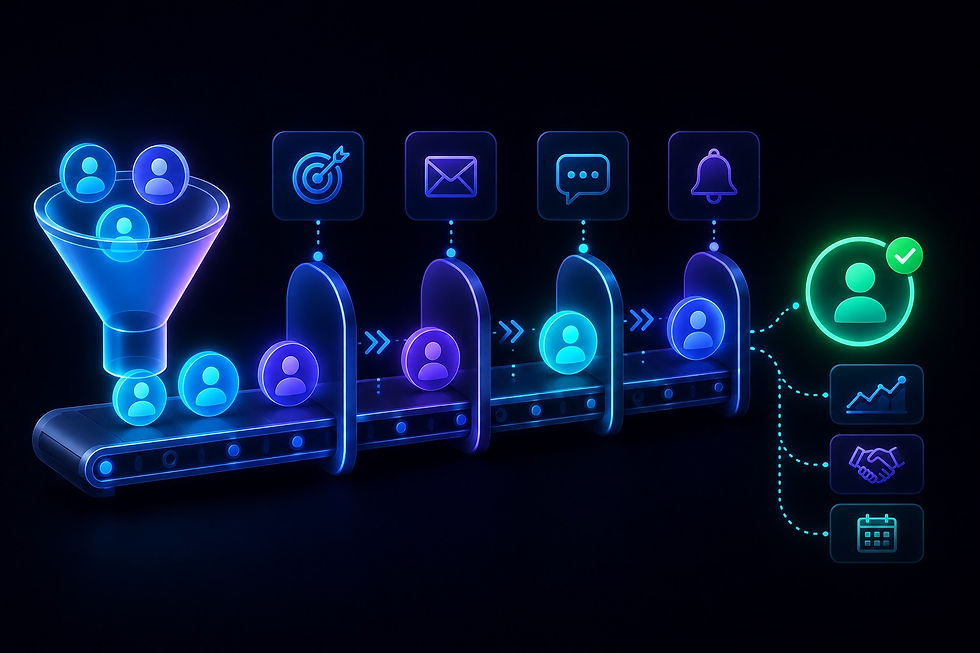
Here’s a mistake many B2B businesses don’t realize they’re making: most visitors are not ready to contact you on their first visit. They’re still researching. Yet many websites rely entirely on a contact form — then wonder why nobody uses it.
If you aren’t capturing leads earlier in their journey or following up quickly when they do reach out, you’re leaving money on the table.
The fix:
Offer alternative, low‑friction ways to stay engaged: download a guide, subscribe to insights, or watch an on‑demand webinar.
Respond to leads quickly. The chance of conversion is up to 9x higher when you follow up within five minutes. Automate initial acknowledgments to keep momentum going.
Consider website visitor identification tools (like Leadinfo) that reveal which companies are browsing your pages — even if they never fill out a form. This lets your sales team proactively reach out to warm prospects before they ever contact you.
The real problem is rarely traffic
If your website is attracting visitors but not generating inquiries, the issue isn’t with your SEO budget or ad spend. It’s almost always one or more of these:
Intent, messaging, or audience misalignment
Weak or missing calls to action
Unclear value proposition
Poor mobile experience or slow load times
Lack of trust signals or social proof
Missing follow‑up or lead capture mechanisms
A good‑looking site that doesn’t convert visitors into leads is just an expensive digital business card. Your website should work for you 24/7 — attracting, educating, and converting visitors into paying clients.
Your 5‑minute diagnostic checklist
Run through this checklist right now to spot where inquiries are slipping through:
Intent check: Are your top landing pages aligned with commercial (buying) search intent?
Clarity check: Can a stranger understand what you do and why it matters within 5 seconds?
Messaging check: Does each landing page mirror the language of the traffic that arrives there?
Trust check: Do you have testimonials or client logos placed near every CTA?
CTA check: Is your primary CTA specific, outcome‑driven, and visible above the fold?
Form check: Are your contact forms short (≤5 fields) and easy to complete on any device?
Mobile check: Does your site load quickly and display correctly on a phone?
Follow‑up check: Do you have a process to capture early‑stage interest before people are ready to book a call?
Need a website that actually drives inquiries?
If you’re tired of pouring money into traffic that doesn’t convert, let’s talk. We build B2B service websites designed for lead generation — not just good looks.
Take a look at our Portfolio to see real examples of service websites we’ve turned into reliable lead machines, or explore our Web Design Services to learn more about our conversion‑first approach.
Frequently Asked Questions (FAQ)
My website gets hundreds of visitors but zero inquiries. What’s the most common reason?
The most common reason is intent mismatch — your traffic comes from visitors who aren’t ready to buy. Many sites attract top‑of‑funnel researchers reading blog content, but fail to offer a next step or transition them toward a commercial offer. Check your top landing pages: are they informational or commercial?
What’s a healthy inquiry conversion rate for a B2B service site?
B2B websites average around 2–3% conversion from traffic to identifiable lead. Top‑performing B2B service sites can hit 5–10% for organic traffic. If you’re below 2%, focus on improving messaging clarity, CTAs, and removing friction.
How long does it take to see results after fixing these issues?
Some fixes — like clarifying CTAs, shortening forms, or adding social proof — can show impact within a few weeks. Others, like realigning content strategy to buyer intent, may take 2–3 months. Start with the highest‑impact changes first.
Should I stop my paid ads if traffic isn’t converting?
Not necessarily, but pause them temporarily for an audit. Check that your ad copy matches your landing page messaging exactly and that the page is optimized to convert (clear CTAs, trust signals, low friction). Fix those first, then restart campaigns. Otherwise, you’re just paying for bounces.
What’s the difference between informational and commercial search intent?
Informational intent means the user is researching — they want “what is SEO for manufacturing.” Commercial intent means they’re comparing options or ready to buy — they search “best manufacturing SEO agency.” Your content must match the intent. Informational traffic needs educational content with soft CTAs (resource downloads). Commercial traffic needs case studies, pricing guidance, and strong “Contact us” CTAs.
My site loads quickly on my computer. Is that enough?
No. Mobile performance matters more than desktop for many B2B searchers. Test your site on an actual phone using a slow connection (3G throttling). If text is small, buttons are hard to tap, or load times exceed 3 seconds, you’re losing leads.